Automatic video editor,
synced to the beat.
My Auto Edit is the free automatic video editor that cuts your clips to music. Drop in your footage and a song — it detects every beat and auto-edits your video in perfect sync. A finished, share-ready edit in seconds.
No credit card · Free plan · Renders on your own hardware
New here? See how it works →
Edit on the beat, right on your phone
The full editor in your pocket. Pick clips and a song, let it cut to the beat, and export — all on-device. Nothing uploads, nothing is watermarked.
- 100% on-device — your gallery never leaves your phone
- AI beat detection & on-device rendering
- Manual beat-sync editor with a live waveform
- Export up to 4K · no watermark · share anywhere
Direct install — just allow “install unknown apps” once. Google Play coming soon.
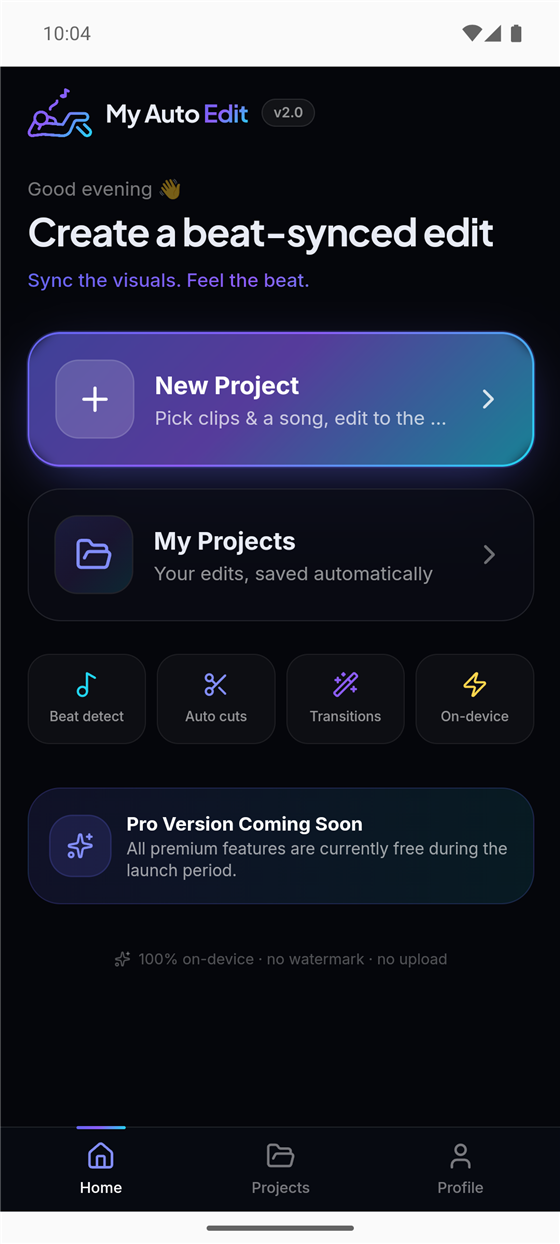
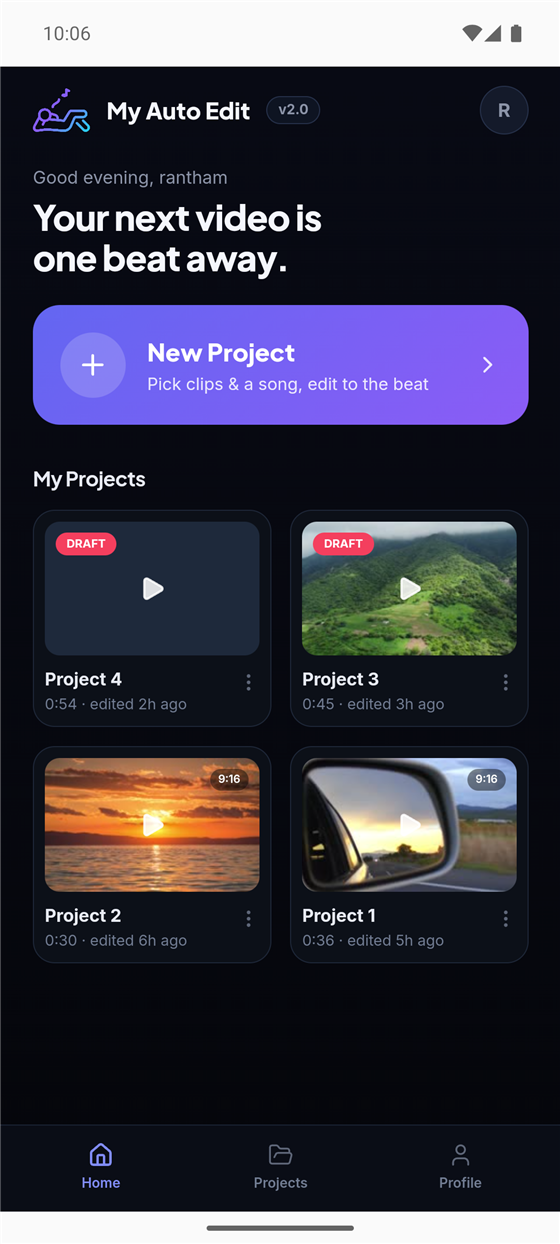

From raw clips to a synced edit in four steps
Drop your media
Add photos and clips — even straight from your iPhone. HEIC and .mov just work.
Analyze the beat
AI detects BPM, kicks, snares, hi-hats and energy across your track.
Sync the cuts
Cuts snap to the beats you choose. Fine-tune anything on the waveform.
Export & share
Render in any aspect ratio and download a polished, branded video.
New here? The full walkthrough has a screenshot for every step.
Read the step-by-step guideCurious how it beats editing by hand? See auto vs. manual editing
Everything you need to edit on the beat
A focused, powerful toolkit — designed to feel effortless.
Beat-perfect cuts
Every transition lands on the beat using real onset detection — not guesswork.
One-click magic
Pick your beat types, hit generate, and let the engine do the editing.
GPU-fast renders
Hardware-accelerated export gets your video out in a fraction of the time.
Made for mobile
Upload from your phone over the local network with a buttery-smooth UI.
Visual waveform editor
See kicks, snares and energy. Click to seek, double-click to place a cut.
Private by default
Your media is cleaned up automatically when your session ends.
Frequently asked questions
What is My Auto Edit?
My Auto Edit is a free automatic video editor that syncs your clips to music. It analyzes your song — detecting BPM, kicks, snares and energy — and auto-cuts your footage so every transition lands on the beat.
What is an automatic video editor?
An automatic video editor edits your footage for you instead of you cutting clips by hand on a timeline. My Auto Edit reads the beat of your music and automatically places the cuts, so you get a finished edit in seconds.
Is My Auto Edit free?
Yes. You can create and export beat-synced videos for free, with no credit card required.
Does it work on my phone?
Yes. My Auto Edit runs in your mobile browser and exports vertical 9:16 video for TikTok, Reels and Shorts — plus 16:9, 1:1 and 4:5 for every other platform.
What video formats can I export?
Export your finished edit in 9:16, 16:9, 1:1 and 4:5 aspect ratios, ready to post anywhere.
Your next video is one beat away
Join creators making beat-synced edits in seconds — completely free right now.