My Auto Edit vs. manual editing: why automatic wins
Editing a video to music by hand is slow, fiddly work. You import your clips, line them up on a timeline, hunt for each beat in the waveform, and nudge every cut until it feels right. An hour later you’ve got thirty seconds of footage. My Auto Edit skips all of that — it listens to your song, finds the beat, and makes the cuts for you. Here’s how that stacks up against editing by hand, and against the other tools people reach for.
The trouble with editing by hand
Manual editors like Premiere Pro and Final Cut are powerful — they can do almost anything. But that power comes with a price: a steep learning curve, a desktop you have to sit at, and a lot of repetitive work. Beat-matching is the worst of it. There’s no button for “put a cut on every kick drum”; you do it yourself, beat by beat, and one misplaced clip throws off everything after it.
Mobile apps like CapCut and InShot are friendlier, and some can drop beat markers for you — but you’re still the one cutting and arranging clips on a timeline. The actual editing is still manual.
What My Auto Edit does instead
The repetitive parts — finding the beat and placing the cuts — happen automatically.
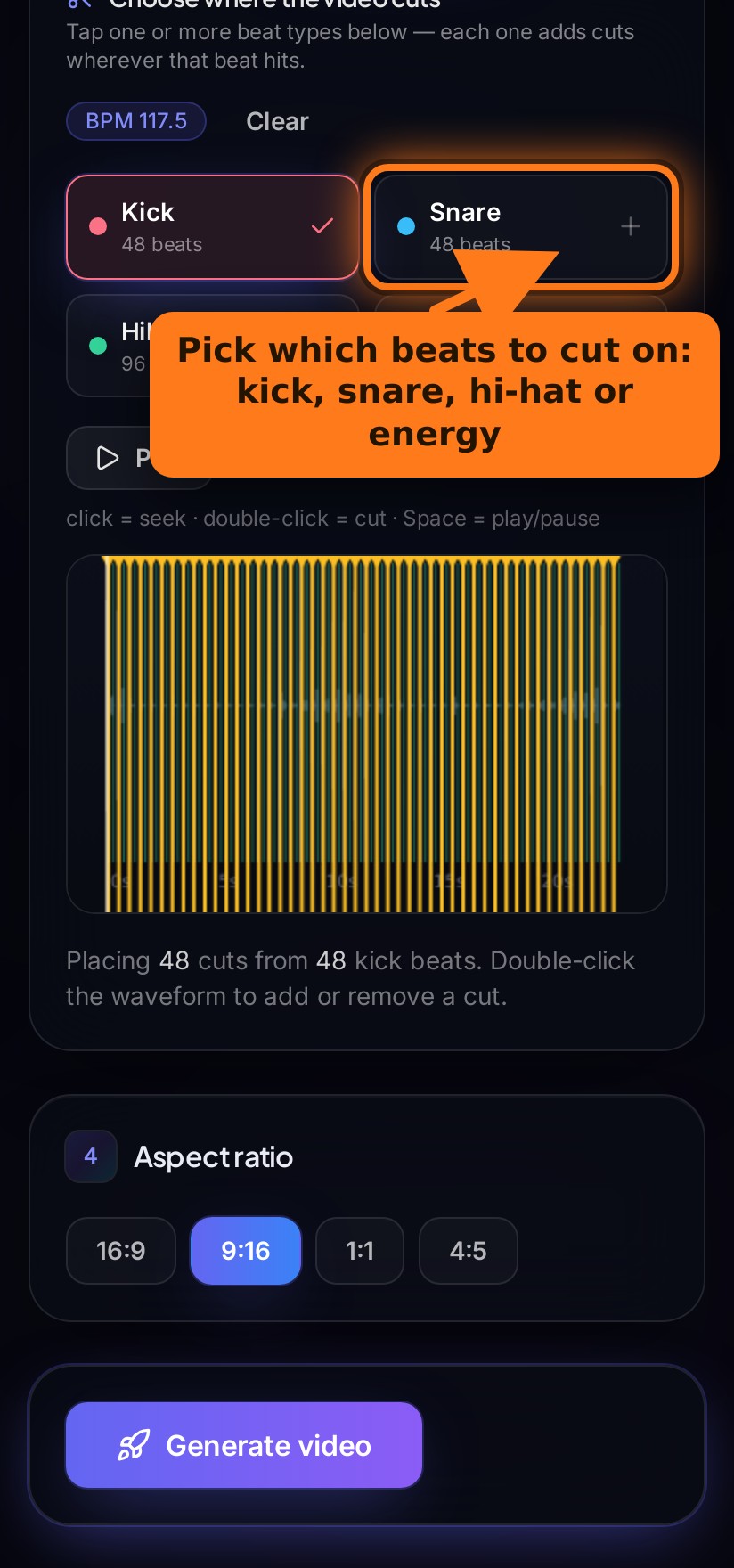
My Auto Edit reads your track and finds the actual BPM plus every kick, snare and hi-hat. In a manual editor you’d be scrubbing the waveform and dropping markers by ear — for every single beat.
Pick which beats to cut on and the cuts place themselves. No nudging clips frame-by-frame to make a transition feel “on time”.
Upload, analyze, generate. A montage that takes hours to cut by hand is ready before your coffee’s cold.
9:16 for Reels and TikTok, 16:9 for YouTube, 1:1 and 4:5 for the feed — without rebuilding the project for each one.
It runs in your mobile browser and takes clips straight from your camera roll, HEIC and .mov included. Most pro editors are desktop-only.
Hardware-accelerated export gets your video out quickly — no overnight render queue.
Side-by-side comparison
How automatic beat-syncing compares to the editors people usually use.
| Feature | My Auto Edit | Manual NLEs(Premiere, Final Cut) | Mobile editors(CapCut, InShot) | AI text editors(Descript) |
|---|---|---|---|---|
| Auto-cuts your clips to the beat | ||||
| Detects BPM, kicks, snares & hi-hats | ||||
| Time to your first finished edit | Seconds | Hours | 20–40 min | 15–30 min |
| Editing skill required | None | High | Medium | Medium |
| Exports 9:16, 16:9, 1:1 & 4:5 | ||||
| Works in a phone browser | ||||
| Learning curve | Minutes | Weeks | Hours | Hours |
| Price to start | Free | Subscription | Free + paid | Paid tiers |
built in · partial / manual · not really its job. Comparison is by tool category and reflects typical use — every app keeps adding features.
One project, every platform
In a manual editor, reformatting a 16:9 video for a vertical Reel means repositioning every clip. Here you just pick the aspect ratio and generate — 9:16, 16:9, 1:1 or 4:5, all from the same project.
See how it works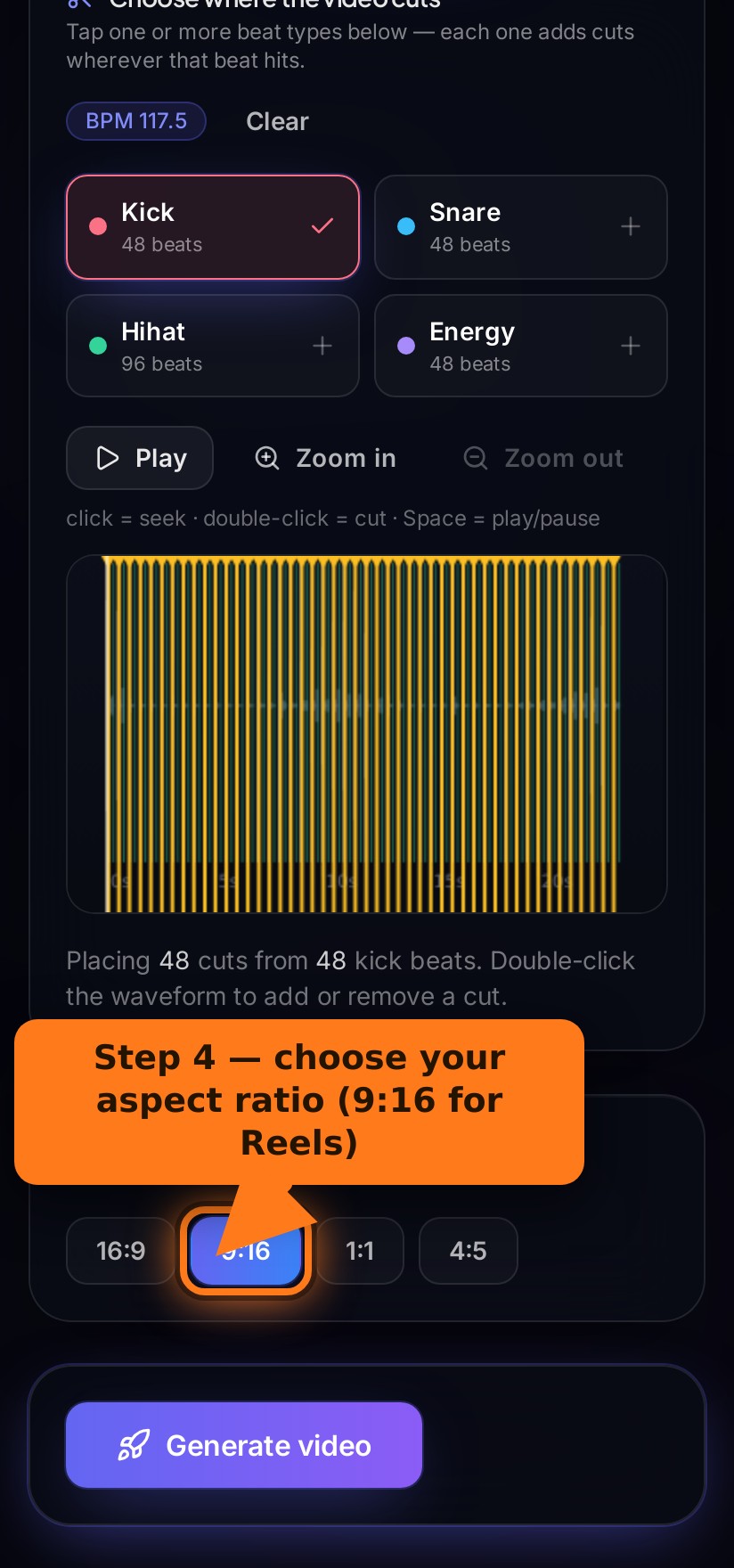
When manual editing still makes sense
We’ll be straight with you: automatic editing isn’t the answer for everything. If you’re cutting a dialogue scene, a documentary, or anything where pacing and story matter more than the beat, a manual editor gives you control you’ll want. My Auto Edit is built for the other 90% — music edits, montages, reels and highlight videos, where landing the cuts on the beat is the whole point and doing it by hand is just tedious.
Common questions
For beat-synced montages, reels and music edits, it’s faster and lands the cuts more consistently than most people manage by hand. For story-driven films with dialogue and fine pacing, a manual editor still gives you more control — the two aren’t really competing for the same job.
CapCut is a capable manual editor with some beat tools, but you still arrange and cut clips yourself on a timeline. My Auto Edit detects the beat and makes the cuts for you — you choose which beats to cut on and it builds the edit automatically.
No. If you can pick a few clips and a song, you can make a finished video. There’s no timeline to learn.
Yes. After it detects the beats you can switch beat types or double-click the waveform to add or remove individual cuts.
You get free daily edits with no credit card. See the Pricing page for the current limits.
Skip the timeline
Let the beat do the editing. Upload your clips and a song, and get a synced video in seconds — free.
Questions? Email ranthamgod@gmail.com